So you DIY'd your website. Maybe it was a budget thing, or you just wanted the challenge. Whatever the reason, it never hurts to get a second pair of eyes to look over your website. Which brings me onto why I spent some time last weekend giving customised and actionable website feedback to over 25 people in a Facebook group.
There were some common themes within the feedback I was giving so I thought a summary might be helpful. Most of the changes are fairly easy to make — they'll just require a little bit of time. The sites I looked at ranged from blogs, to static sites to eCommerce websites so some of this feedback is a bit generic, however I'm happy to go into more detail on any of the topics.
Speed Up Your Site
No one likes a slow website. In fact 40% of people won't even wait for a slow site to load. That's 40% of extra people you could have looking at your site. It's also good for SEO — Google knows that people don't like waiting for pages to load, so it won't show them pages that are slow.
There are a number of online tools you can use to check the speed of your site — an easy one is Google PageSpeed Insights. Don't get too caught up on all the technical jargon you don't understand, but definitely take into consideration the score your site received.
If your site's loading slowly, there's a super high chance that it's because of your images. You should be compressing them/saving them for web before you upload them to your site. No exceptions. It's also worth looking into site caching and lazy loading, but they're topics for another post.
You're Not Using Call to Action Buttons
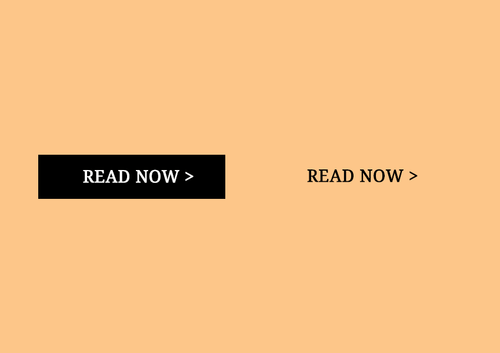
"Buttons" is the keyword here. Buttons have an impact. They're in the face of your viewer, their attention is drawn to them and they just make so much more of an impact than plain ol' links. You need to be using buttons.
They need to be consistent (through shape, colour, font size etc.) and they need to tie in with the design of your website. One common strategy is to have a call to action (CTA) colour in your website brand board. If done right, this will encourage the user to engage with the CTA, enabling you to get users on to product, contact information or whatever it is you aim to do with your website.
Your pop-ups pop too much
Yes, pop-ups can help you grow your email list. However, if done wrong, they can also increase your bounce rate. Personally, I'm not a fan of pop-ups — they're annoying. If someone wants to keep up to date with your blog/biz they're going to look to subscribe or follow you on social.
If you absolutely insist on having a pop-up, please try to minimise the irritation factor. The number one way to do this is by evaluating how much time you're giving users to view your site before presenting them with a pop-up. Users need to be able to view your site, figure out that they like your stuff, and actually form an opinion on you before you throw a pop-up at them.
You've overloaded the navigation bar
Decision making is hard. People don't like hard. So make it easy for them to decide what page to go to by limiting their options. Use drop downs if required, but try to avoid stuffing your navigation bar. You could also consider how you can utilise other navigation methods (think floating nav bar, footer links etc.)
Summary
Design wise, most of the websites I looked at were amazing! However, following the above tips should help you further improve your website. In a nutshell, here's what I recommend doing:
- Add call to action buttons — they draw attention and get clicks.
- Speed up your website — make sure you're optimising your images.
- Evaluate your pop-ups — if you've gotta have them, make sure they aren't popping up too soon after someone's landed on a page.
- Simplify your navigation bar — use it to direct people to the pages you really want to be seen.